

Minecraft APK
for Android Download Official Version Safety & Installation Guide
Download Now
 CM Security
 Lookout
 McAfee
The full Android game is a paid app, and the safe way to install it is through Google Play. APK files from other sites can be outdated, modified, or bundled with unwanted software. This guide shows how to verify the official version, install and update without losing your worlds, and fix common errors.
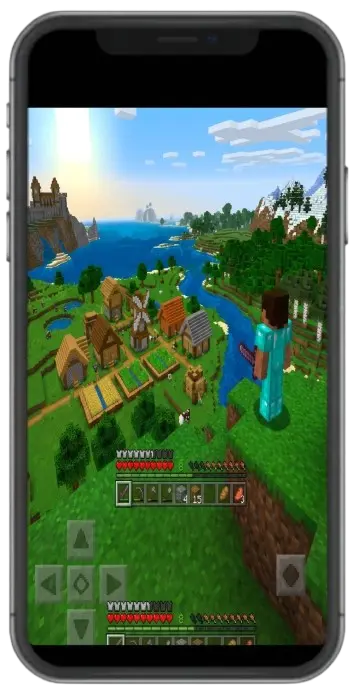
Minecraft APK Free
Not the full game. The standard Android release is a one-time purchase on Google Play. The US price has been listed at US$6.99, but it varies by region and during sales, so check the current listing before you buy. Once you own it, the base game has no subscription. Three things are easy to confuse with free A trial. Where Mojang offers one through an authorized channel, a trial gives you a limited version to try. Its limits depend on the current offer. A sale. A discount lowers the price. It does not remove it. A free APK on another website. This is not an authorized copy of the full game. Treat it as unverified: it may be modified, outdated, or not Minecraft at all. Optional extras are separate purchases. Realms is a subscription service, and Marketplace items are bought individually with Minecoins.
Features
Is it free?
No. It is a one-time purchase on Google Play, and the price varies by region.
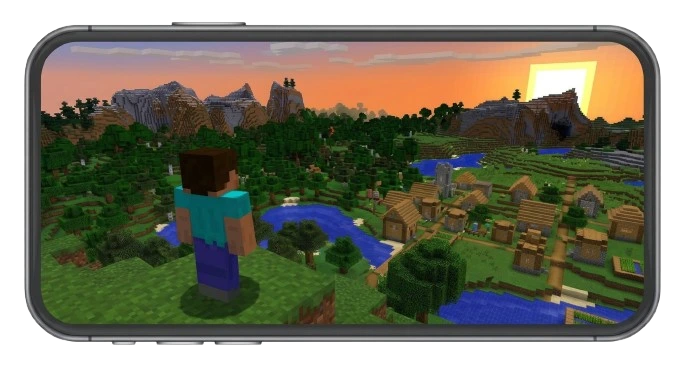
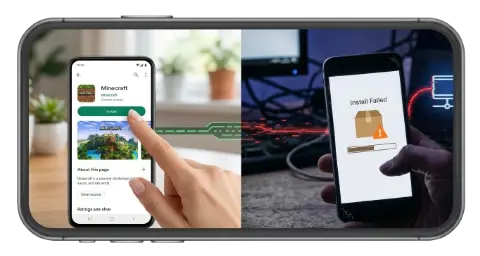
Is it safe?
The official Google Play version is. Unverified APKs from other sites carry real risk.
Which edition is it?
Bedrock Edition, formerly called Pocket Edition.
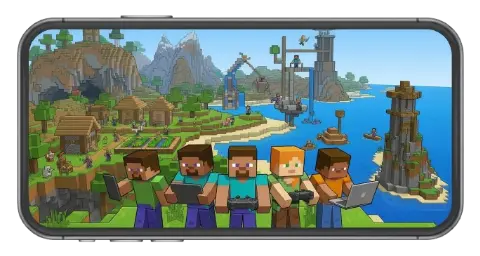
Latest version
last verified
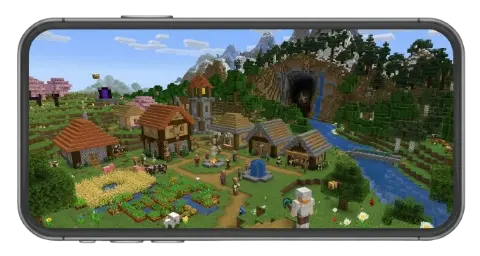
Frequently Asked Questions
Is Minecraft APK Free?
Not the full game. The standard Android release is a one-time purchase on Google Play. The US price has been listed at US$6.99, but it varies by region and during sales, so check the current listing before you buy. Once you own it, the base game has no subscription.
Three things are easy to confuse with "free":
- A trial. Where Mojang offers one through an authorized channel, a trial gives you a limited version to try. Its limits depend on the current offer.
- A sale. A discount lowers the price. It does not remove it.
- A "free APK" on another website. This is not an authorized copy of the full game. Treat it as unverified: it may be modified, outdated, or not Minecraft at all.
Optional extras are separate purchases. Realms is a subscription service, and Marketplace items are bought individually with Minecoins.
Is Minecraft APK Safe?
An APK is a file format, not a safety guarantee. The same format can hold the official game, an old build, or a modified copy carrying unwanted software. Whether a file is safe depends on who made it and how you got it.
The safest route is the official Google Play listing, published by Mojang under the package name com.mojang.minecraftpe. This guide recommends that source for the standard Android game.
Red flags on a download page:
- It promises "unlimited Minecoins," "unlocked skins," or free Marketplace content.
- It tells you to turn off Android's security protections or Google Play Protect.
- The installer asks for permissions that make no sense for a game, such as your contacts or messages.
- It asks for your Microsoft account password anywhere except the official sign-in screens.
- Its version number does not match the release notes on Minecraft.net.
- It uses download counters and glowing comments as proof of safety.
A file that installs and opens is not necessarily a safe file. If you cannot verify the source, use the official store.
What is the difference between an APK, a trial, and a MOD APK?
APK
- What it means: An Android app installation package. It can hold an official app or a modified one.
- Main risk: The format says nothing about who made the file.
Trial
- What it means: A limited version offered through an authorized channel, where available.
- Main risk: Limits depend on the current offer.
MOD APK
- What it means: A modified package that claims to add features or remove restrictions.
- Main risk: Not approved by the publisher. It can carry security, account, compatibility, and update problems.
If you want custom content, use supported add-ons from sources you trust instead of a modified installer.
Minecraft APK Download Details
This table identifies the official Android game. Compare it with the live Google Play listing before you install anything.
Game: Minecraft
Edition: Bedrock Edition (formerly Pocket Edition)
Platform: Android
Publisher: Mojang (Microsoft)
Official package name: com.mojang.minecraftpe
Official store: Google Play
Price: One-time purchase; [current price in your region]
Current version: [version number]
File size: [size from Google Play]
Minimum Android version: [from Google Play]
Last updated: [date from Google Play]
Release notes: Minecraft.net
Technical help: Minecraft Help Center
Details last verified on [date].
Is Minecraft APK the same as Minecraft Pocket Edition?
Yes, in practice. "Pocket Edition" was the long-time name of the mobile game. Around 2017 it was renamed simply Minecraft and unified under Bedrock Edition, which also runs on Windows, Xbox, PlayStation, Nintendo Switch, and iOS.
People still search for "Minecraft PE APK," and that phrase points to the same game. "APK" only names the Android file type. It is not a separate edition, and it does not mean the game is free.
What's New in the Latest Minecraft Update?
Version [version number] arrived on [release date]. The headline changes from the official notes:
- [Change 1]
- [Change 2]
- [Change 3]
Read the full notes on Minecraft.net. To see whether the update has reached your device, open the Google Play listing. Updates roll out in stages, so you may get yours later than a friend does.
Before you update, check:
- The version number and release date
- The changes listed in the official notes
- That your device supports the release
- That your worlds are backed up
- That friends or servers you play on support the same version
How to Download and Install Minecraft on Android
Install from Google Play (recommended)
- Open the official Minecraft listing on Google Play.
- Confirm the app name and that the publisher is Mojang.
- Check the price and device compatibility shown for your account and region.
- Tap the purchase or install button while signed in to the Google account you want the purchase tied to.
- When installation finishes, open the game.
Google Play purchases belong to your account, so signing in with the same account on another Android device lets you reinstall without paying again.
If you are considering an APK from outside Google Play
Google Play is the supported channel for Android. If Play is not available on your device or in your region, check Minecraft.net and the Minecraft Help Center for current official options before trusting a third-party site.
If you still decide to install a file from elsewhere, Android will ask you to allow installs from the specific app you used to open it, usually your browser or file manager. That prompt is a deliberate security step. Allow it only for a source you have verified, and switch the permission off again afterward.
Before you open any such file:
- Find out who provides it and whether they are accountable for it
- Compare its stated version with the release notes on Minecraft.net
- Keep Google Play Protect and Android's other protections turned on
- Back up your worlds first, because a conflicting install can overwrite your current one
A file name, download counter, or positive comment cannot prove a file is safe.
How to update Minecraft without losing your worlds
- Back up first. Open your world's settings (the edit icon beside the world), find the Export World option, and save the exported .mcworld file outside the game, such as in cloud storage or on a computer. Menu names can change between versions, so confirm the option in your release.
- Check the backup. Make sure the file exists and has a sensible size. For important worlds, open the copy on another device before relying on it.
- Update through Google Play. Open the listing and tap Update, with enough free storage and a stable connection.
- Open the game and confirm your worlds are still there.
Do not uninstall the game as your first troubleshooting step. Local worlds can be lost when an app is removed, so keep your backup until you have confirmed it works.
Why Won't Minecraft Install, Update, or Open?
Match your symptom to the likely cause below. Back up your worlds before clearing app data or reinstalling.
Problem: Installation fails
- Likely cause: Low storage, an unsupported device, or a damaged file.
- What to try: Free up space, check device compatibility on the Google Play listing, and do not keep trying files from the same unknown source.
Problem: Update stuck in Google Play
- Likely cause: Low storage, a weak connection, or cached Play Store data.
- What to try: Check your connection and free space, restart the phone, then clear the Google Play Store cache in Android settings and try again.
Problem: Latest update not showing
- Likely cause: Staged rollout to devices and accounts.
- What to try: Wait and check the listing again. Do not install an unknown APK to get the update sooner.
Problem: Crashes on launch
- Likely cause: An outdated version, a bad add-on, or corrupted data.
- What to try: Update the game, restart, and test in a new world. Remove recently added add-ons before touching the original world.
Problem: Worlds are missing
- Likely cause: A different device, account, or install, or cleared app data.
- What to try: Look for an exported .mcworld backup and confirm you are on the original device and account before reinstalling.
Problem: Cannot join a friend
- Likely cause: Version or edition mismatch, or network and account settings.
- What to try: Match game versions, confirm you are both on Bedrock, and check your account sign-in.
If none of this helps, the Minecraft Help Center has official troubleshooting. If a device was reset or the only copy of a world was deleted, recovery may not be possible, which is why backups matter.
Does Minecraft Work on Low-End Android Phones?
Often, with adjustments. Performance depends on your device, Android version, available memory, free storage, graphics settings, and world size. Large builds and busy multiplayer areas demand more than a small world does. No single result applies to every phone, so be wary of any claim that Minecraft runs smoothly on all Android devices or that a set amount of RAM guarantees it.
If the game runs slowly, try these in order:
- Lower the render distance in video settings. This usually helps the most.
- Turn off optional visual effects your version lists, such as fancy leaves, smooth lighting, and beautiful skies.
- Close other apps and restart the phone.
- Free up storage space.
- Test a smaller or newer world to see whether the world itself is the problem.
- Check the Google Play listing to confirm your device is supported.
How much storage does Minecraft need?
It depends on the installed release, updates, saved worlds, and downloaded content. Updates may also need extra temporary space. Keep free space available, and back up worlds before deleting any files you do not recognize.
What Can You Do in Minecraft on Android?
Minecraft is a block-building game where you gather resources, craft items, explore biomes, and build your own worlds. The Android version is Bedrock Edition, with touch controls and supported multiplayer.
- Survival mode challenges you to collect materials, craft tools, find food, and defend yourself from hostile mobs.
- Creative mode gives you building materials so you can focus on designs such as houses, farms, castles, or redstone machines.
- Exploration takes you through forests, deserts, mountains, caves, oceans, and villages. Learning which mobs are peaceful and which attack helps you plan trips.
- Customization comes from skins, add-ons, and custom maps. Content can have platform or version limits, so use trusted sources and back up important worlds before testing unfamiliar files.
Other modes and settings depend on your version, so check the in-game options.
Minecraft Bedrock vs. Java Edition
Minecraft for Android uses Bedrock Edition. Java Edition is a separate version made for desktop computers. Both support building, crafting, and exploration, but they differ in platform support, multiplayer, and customization.
Platforms
- Bedrock Edition (Android): Android, iOS, Windows, Xbox, PlayStation, Nintendo Switch.
- Java Edition: Windows, macOS, Linux.
Controls
- Bedrock Edition (Android): Touch, plus supported keyboards and controllers.
- Java Edition: Keyboard and mouse.
Multiplayer
- Bedrock Edition (Android): Cross-play with other Bedrock platforms.
- Java Edition: Java players, unless a server adds cross-edition support.
Customization
- Bedrock Edition (Android): Marketplace content, add-ons, and skins.
- Java Edition: Community mods and plugins.
Tutorials
- Bedrock Edition (Android): Match your phone's menus.
- Java Edition: Often do not match Android menus or controls.
Can Android players join Java servers?
Not through a standard Java server, because Bedrock and Java use different multiplayer systems. Some servers add a translation layer such as Geyser so Bedrock players can connect. Support depends on each server, so check its supported edition and version before you try to join.
Can I play with friends on Android?
Yes, through supported Bedrock multiplayer options. What you can use depends on game versions, account settings, and your connection, and some online features require a Microsoft account. Make sure everyone is on a compatible version before you invite them, and enter your password only on official sign-in screens.
Minecraft Marketplace, Minecoins, and Realms
The Minecraft Marketplace sells skins, maps, and other creations for supported Bedrock platforms. Check each item's listing for cost and compatibility. Minecoins pay for eligible Marketplace items and are separate from resources you collect in a world. Realms is a hosted service for playing in a shared world with invited players, with its own plans and prices. Current terms are on Minecraft.net.
Related Minecraft Games
Minecraft Dungeons, an action-adventure game, and Minecraft Education, built for classroom learning, are separate products with their own listings, requirements, and access rules. Neither is another name for the standard Android game, so check each product's official page before downloading.